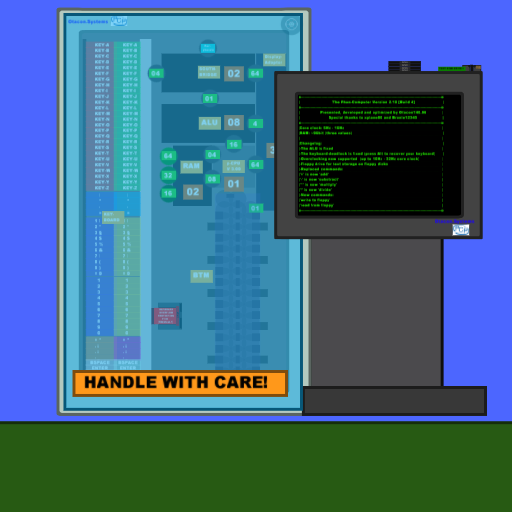
[Version 2.10 Beta Build 4 from 2009-26-04 18:00 GMT]
Made with Phun 5.28
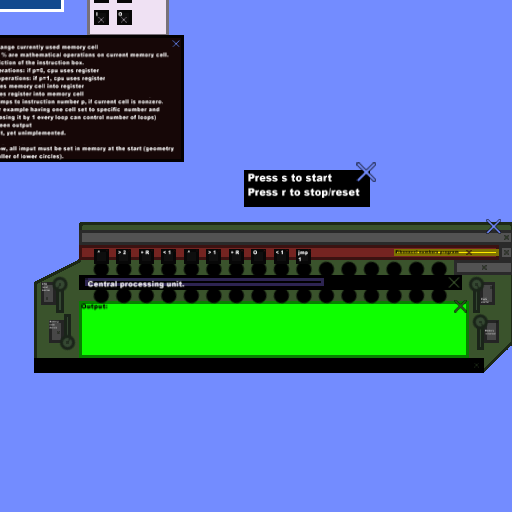
It is done! The second version of the phun computer is ready for your input!
The computer is part of the
Phun Computer Project
Features:
-Input via keyboard
-Blinking cursor
-Basic arithmetic operations +, -, *, /
-RAM memory for three values
-Overclocking
-Floppy support (read & write)
Tutorial / How to use:
General important input details:
-Don't type too fast! Wait until your input appears on the screen
-Don't hold any key! Touch the keys and release them quickly!
-Press and hold Alt if you accidentally have held a key for a long time. This will repair the virtual keyboard 85% of the time.
-Don't press Ctrl+Z to undo your input! Use the undo button << to undo your input (otherwise phun will crash)!
Supported input keys:
-Keypad, ENTER (not on keypad), A-Z, 0-1, SHIFT, +, -, .
-Use SHIFT to toggle between lower- and uppercase (see point 3)
-Use Ctrl-Left to make a SPACE
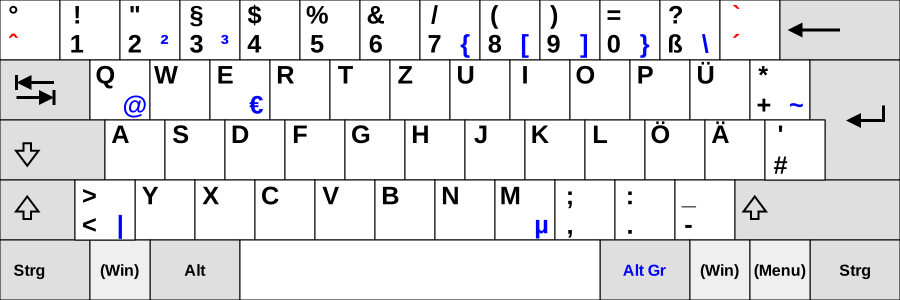
I used the QWERTZ keyboard.
If you have problems with some keys this should help you.
1. Simple calculations
Addition
Key in: 1.25
Press ENTER
Key in: add
Press ENTER
Key in: 1.75
Press ENTER
The output should look like this:
1.25
add
1.75 = 3
Division
Key in: 1
Press ENTER
Key in: divide
Press ENTER
Key in: 0.01
Press ENTER
The output should look like this:
1
divide
0.01 = 100
Multiplication
Key in: 556
Press ENTER
Key in: multiply
Press ENTER
Key in: 5
Press ENTER
The output should look like this:
556
multiply
5 = 2780
Substraction & division
Key in: 1234
Press ENTER
Key in: substract
Press ENTER
Key in: 1111
Press ENTER
Key in: divide
Press ENTER
Key in: 12
Press ENTER
The output should look like this:
1234
substract
1111 = 123
divide
12 = 10.25
2. RAM access (read and write)
Key in: 123
Press ENTER
Key in: to a
Press ENTER
Key in: 9675
Press ENTER
Key in: from a
Press ENTER
Key in: add
Press ENTER
Key in: 1
Press ENTER
The output should look like this:
123
to a[done]
9675
from a[done]
add
1 = 124
3. Text writing and floppy management
Press SHIFT
Key in: H
Press SHIFT
Key in: ello
Press Ctrl-Left
Key in: world
Press SHIFT
Key in: !
Press SHIFT
Press ENTER
Make sure that you have inserted a floppy!
Key in: write to floppy and this text wont be saved because it was typed behind this command
Press ENTER
Key in: read from floppy
Press ENTER
Press UP to eject your floppy
Supported commands:
exit
Interrupts the simulation
add
Add
substract
Substract
mult-
iply
Multiply
divide
Divide
to a
Write value to memory slot A
to b
Write value to memory slot B
to c
Write value to memory slot C
from a
Read value from memory slot A
from b
Read value from memory slot B
from c
Read value from memory slot C
system boost on
Overclocks the virtual phun-CPU to 200% performance
ATTENTION: Don't forget to type system boost off or exit before leaving the simulation. Otherwise phun would run with double precision on other scenes too! Never forget to type system boost off or exit!
system boost off
Sets the virtual p-CPU speed to default. Never forget to type this, after using the overclocked p-CPU!
write to floppy
Writes the current screen to floppy (ENTER is not necessary. The computer does automatically recognize this command.)
Make sure that you have inserted a floppy!
read from floppy
Reads the current information from floppy and display it on the screen. (ENTER is not necessary. The computer does automatically recognize this command.)
Make sure that you have inserted a floppy!
-----
Thanks to testers: juha686, jelmerholland
Fixed problems and new features:
[Version 2.10 Beta Build 4 from 2009-26-04 18:00 GMT]
-Floppy drive and floppies
[Version 2.00 Beta Build 3 from 2009-22-04 22:00 GMT]
-Improvement of the ALU script
-Decimal support for divisions
-Overclocking is possible, but be careful with this feature...
[Version 2.00 Beta Build 2 from 2009-21-04 20:00 GMT]
-Bug-Fix: Monitor starts to blink after a while
Known problems (not fixed):
No problems yet..
TODO:
-Backspace will work soon...
-Support for peripherals
-CD drive
-Real programming language
-More RAM
-Faster architecture
-New keyboard
-Support for little graphics
-Mouse support?!
-----
This is a beta version. I need suggestions and error reports

BETA TESTERS!!! STICK TOGETHER!!!
Some other features are currently under construction and will be ready soon..
Version 3 is under construction..









 but other than that its REALLY cool!


 ...10/10
 It'll probably be something that has a CocoSD reader, and it'll tell you to read the floppy, then type quit on the PCP thing, and stuff. And for some reason, I like to throw +inf weight squares at it and see if it still works.

 my ring dissapear >:CCCC also How to backspace