Browse Search Popular Register Upload Rules User list Login:
Search:
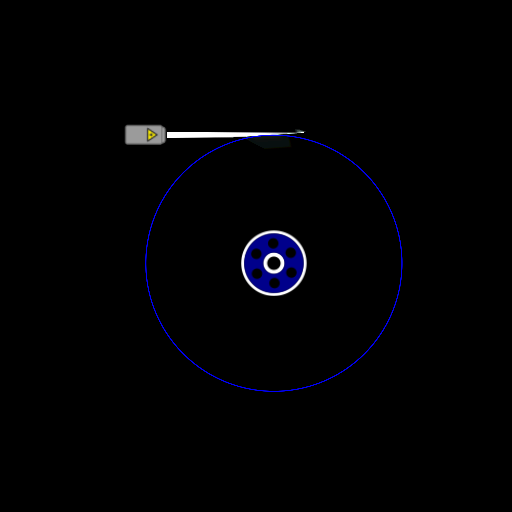
Extremely Powerful Laser Spawn Engine

Image:
screenshot of the scene

Author: Jimmyfisherman

Group: Default

Filesize: 14.9 kB

Date added: 2014-09-29

Rating: 5

Downloads: 535

Views: 505

Comments: 4

Ratings: 1

Times favored: 0

Made with: Algodoo v2.1.0

Tags:

Scene tag

I need a torque measurement for this, and it must be accurate. This engine was made with 4 stacked disks, each one with its own laser.
Please log in to rate this scene
edit
Similar scenes
Title: Powerful spawn engine
Rating: 6.8182
Filesize: 26.67 kB
Downloads: 2915
Comments: 13
Ratings: 5
Date added: 2013/01/16 13:22:55
Made with: Algodoo v2.0.2 Edu
Rating: rated 6.8
download
Title: Hit and miss spawn engine HE model stationary
Rating: 6.8182
Filesize: 47.1 kB
Downloads: 2643
Comments: 7
Ratings: 5
Date added: 2009/08/18 00:42:55
Made with: Phun
Rating: rated 6.8
download
Title: My first spawn engine
Rating: 5.375
Filesize: 61.5 kB
Downloads: 984
Comments: 0
Ratings: 2
Date added: 2012/01/24 14:47:29
Made with: Algodoo v2.0.1 Edu
Rating: rated 5.4
download
Title: very powerful spawn engine car by think_tank
Rating: 5.625
Filesize: 482.93 kB
Downloads: 329
Comments: 2
Ratings: 2
Date added: 2010/11/22 03:27:23
Made with: Algodoo before v1.8.5
Rating: rated 5.6
download
Title: Spawn Engine 3CV1
Rating: 5
Filesize: 58.83 kB
Downloads: 887
Comments: 0
Ratings: 1
Date added: 2009/04/02 14:36:19
Made with: Phun
Rating: rated 5
download
Title: Laser Spawn engine
Rating: 5
Filesize: 12.97 kB
Downloads: 566
Comments: 2
Ratings: 1
Date added: 2011/11/07 13:56:28
Made with: Algodoo v2.0.0 Edu
Rating: rated 5
download
Responses to this scene
show list
Title: Torque Measurement
Rating: 5
Filesize: 47.95 kB
Downloads: 552
Comments: 4
Ratings: 1
Date added: 2014/09/30 02:15:20
Made with: Algodoo v2.1.0
Rating: rated 5
download
Hey, could you please post the codes for the collision layers in thyme?
From your scene:
A = 1
B = 2
C = 4
D = 8

What are the others?
What about combinations how are they done?
Thanks a ton, I have been wondering the answer to that for years.
They are all binary. To make combinations, just add the values together.
A = 1
B = 2
C = 4
D = 8
E = 16
F = 32
G = 64
H = 128
I = 256
J = 512

Combinations just add these values together.
AB = 3
ABC = 7
Also you could just draw an object and set its collision to the layers you want in your script, then just look at its collideSet number in its script menu.
beautiful, thanks a ton. I have been using algodoo since the days of phun beta 2.88 but am only now starting to experiment with scripting. Thanks again