Browse Search Popular Register Upload Rules User list Login:
Search:
Example For Pootis-Man

Image:
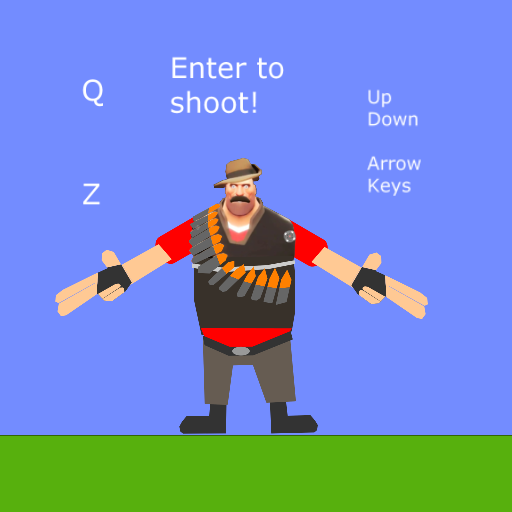
screenshot of the scene

Author: Xray

Group: Default

Filesize: 10.14 kB

Date added: 2017-06-14

Rating: 5

Downloads: 476

Views: 484

Comments: 6

Ratings: 1

Times favored: 0

Made with: Algodoo v2.1.0

Tags:

Scene tag

The script for making the circle follow the mouse pointer is in the small blue circle.

Here is the simple script:

vel = [app.mousepos(0) - pos(0), app.mousepos(1) - pos(1)] * 10

You can change how quickly the circle responds to the mouse position by adjusting the value of the multiplier (currently 10).

Hope this is what you wanted!
Please log in to rate this scene
edit
Similar scenes
Title: Pootis-Pattern
Rating: 5
Filesize: 156.46 kB
Downloads: 303
Comments: 3
Ratings: 1
Date added: 2016/05/30 10:04:24
Made with: Algodoo before v1.8.5
Rating: rated 5
download
Title: Deadly POOTIS! rain
Rating: 5
Filesize: 16.89 kB
Downloads: 261
Comments: 0
Ratings: 1
Date added: 2016/11/21 18:06:19
Made with: Algodoo v2.1.0
Rating: rated 5
download
Title: HOW TO MAKE A POOTIS!
Rating: 5
Filesize: 35.89 kB
Downloads: 347
Comments: 3
Ratings: 1
Date added: 2016/06/11 04:58:51
Made with: Algodoo v2.1.0
Rating: rated 5
download
Title: Pootis-Man!
Rating: 5
Filesize: 133.97 kB
Downloads: 415
Comments: 1
Ratings: 1
Date added: 2016/06/14 04:39:22
Made with: Algodoo v2.1.0
Rating: rated 5
download
Title: Abstract Pootis
Rating: 5
Filesize: 28.67 kB
Downloads: 333
Comments: 0
Ratings: 1
Date added: 2017/06/24 12:36:52
Made with: Algodoo v2.1.0
Rating: rated 5
download
Title: blueprint pootis factory
Rating: 5
Filesize: 68.93 kB
Downloads: 582
Comments: 1
Ratings: 1
Date added: 2017/06/16 13:43:42
Made with: Algodoo v2.1.0
Rating: rated 5
download
Ty comrade!
But don't mind if you make the same but follows the target ?
If you say "no" im ok.
Sorry, I do not understand. Are you asking me if YOU can use this in your own scenes? If that is what you are asking, YES! You can use this in your own scenes!
Pootis-Man - Please explain what you are asking. I do not understand your request.

You said, "....make the same but follow the target". WHAT target? Do you want the small circle to follow a target instead of follow the cursor? Please explain.
Last edited at 2017/06/15 17:56:24 by Xray
shorter version:

vel = (app.mousepos - pos) * 10.0

If following object:

in leader object postStep:

scene.my.pos = pos

in follower object postStep:

vel = (scene.my.pos - pos) * 10.0

If you want to select a target by hitting it with a laser:

in laser onLaserHit:

e.geom.postStep = (e)=>{scene.my.pos = pos}
s_noonan - Thanks for your suggestions!